
retroweb:getting_started:internet_explorer_3.0
Proxy Settings for Internet Explorer 3.0
- Go to View ⇒ Options
- Click on the Connection tab
- Tick the checkbox Connect through a proxy server
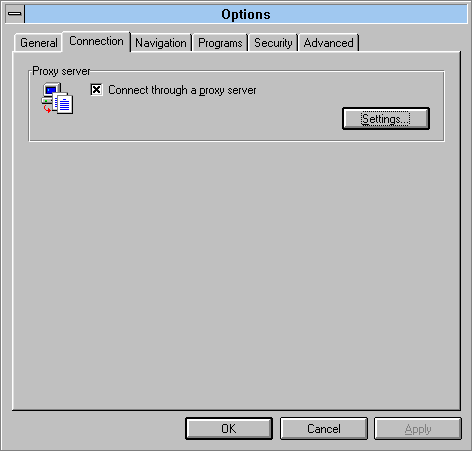
- Click on Settings…
- Under HTTP: type in the following address:
wayback.steptail.com - Under Port type in the port number of your chosen server. Consult the server list and choose a port number.
- Tick the checkbox Use the same proxy server for all protocols
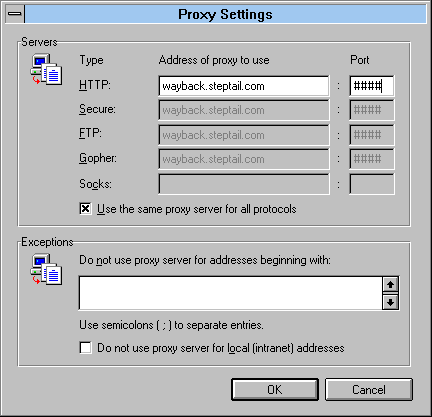
- Click OK, then OK to exit network settings.
- You may begin using the service by navigating to http://welcome.inode.com
retroweb/getting_started/internet_explorer_3.0.txt · Last modified: by 127.0.0.1